Spotify Player VS Code Extension
A cross-platform extension integrating playback controls and real-time track metadata directly within the editor workspace via a custom React WebView UI and secure OAuth 2.0 token exchanges.
- typescript
- react
- vscode api
- oauth 2.0
- rest api
- spotify api
Project Overview
This project was built to solve a minor workflow frustration: constantly swapping windows between a code workspace and a desktop media player to control background music. The solution is a native VS Code extension that houses full playback dashboard controls directly inside an editor sidebar pane.
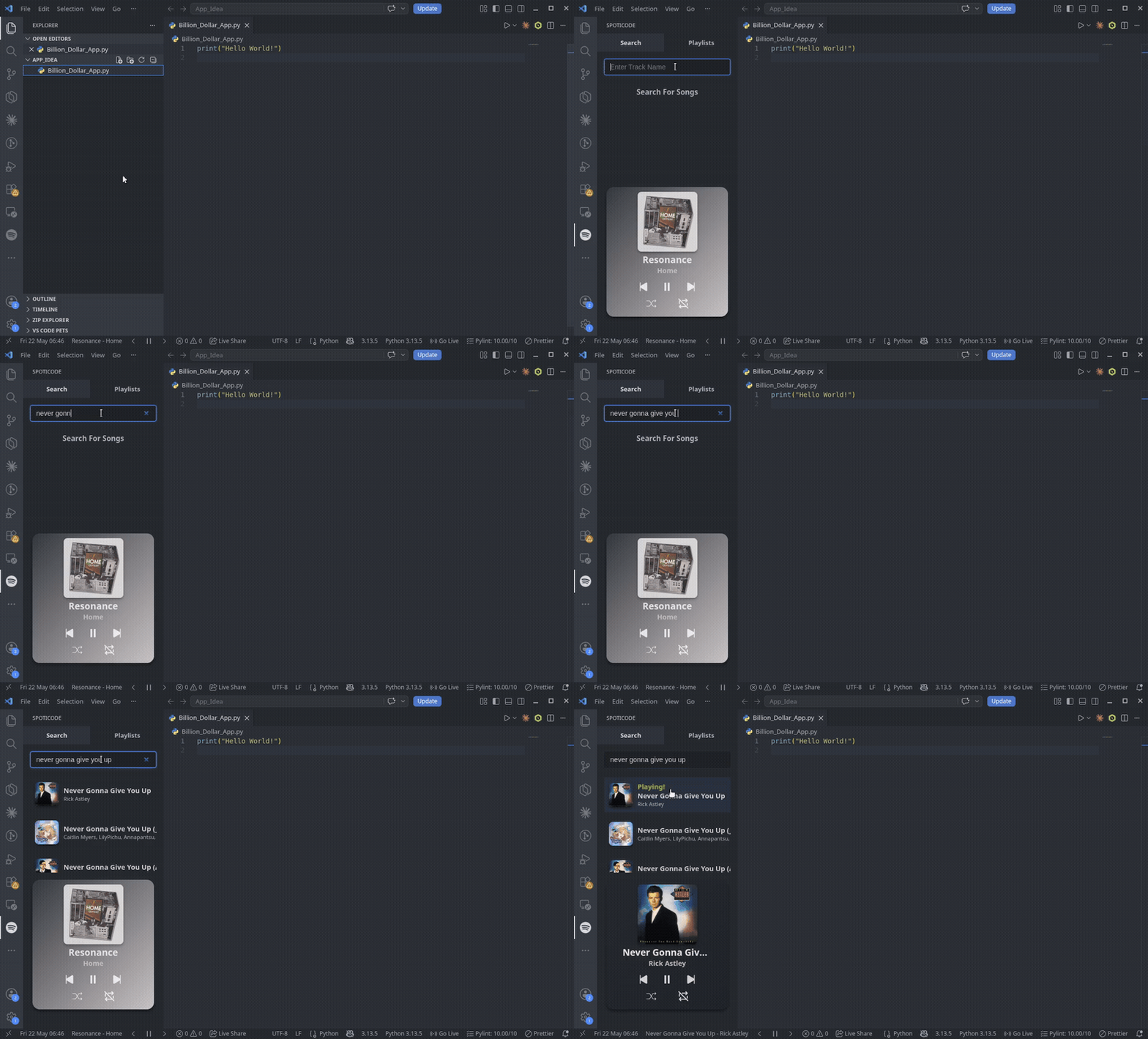
System Architecture
To ensure the extension remains responsive and lightweight, the application logic is split across an isolated backend controller and a decoupled user interface layer:
- The Extension Host (Backend): A Node.js backend loop that hooks directly into native editor systems, handles persistent workspace token caches, and manages secure outbound requests to the Spotify Web API.
- The WebView Panel (Frontend): A custom React application built using TypeScript that compiles down into an optimized asset bundle and is injected directly into an isolated HTML iframe component workspace inside the editor sidebar.
Key Implementations
1. Secure OAuth 2.0 Authentication Loop
Integrating third-party account contexts securely inside an editor environment requires strict token lifecycle tracking. The extension initiates an interactive OAuth 2.0 Authorization Code Flow with Proof Key for Code Exchange (PKCE).
The module spins up a temporary, localized HTTP server to capture the inbound verification redirect parameters. Once validated, it stores encrypted access and refresh token keys natively inside the system workspace storage container, using automated refresh check loops to swap keys in the background without user intervention.
2. Low-Latency Inter-Process Communication
Because the React WebView pane cannot make direct external network calls without triggering browser CORS exceptions inside the editor sandbox, all state events must pass through an explicit message passing pipeline.
- Inbound State Changes: When a user clicks a button (e.g., Skip Track), the React view dispatches an asynchronous data envelope payload (
acquireVsCodeApi().postMessage()). - Message Routing Interceptors: The Node.js Extension Host catches the signal, evaluates the action type, executes the secure external REST API route payload against Spotify’s servers, and returns the updated playback state metadata back down to the UI.