Terminal Markdown Viewer
A cross-platform CLI tool written in C# (.NET) that parses Markdown documents into abstract syntax trees and outputs formatted, terminal-friendly typography via custom ANSI escape sequences.
- c#
- .net
- markdig
- spectre.console
- ansi escape codes
- cli architecture
The Problem
Markdown is a widely used markup language for formatting text, but many existing Markdown viewers are either web-based or rely on graphical interfaces, which can be limiting for users who prefer working in the terminal. Additionally, I wasn’t satisfied with the existing terminal-based Markdown viewers, as they often didn’t provide a visually appealing output.
I created this tool, as I wanted to create a tool that could render Markdown in a pager like less to provide a more appealing terminal experience without disturbing the user’s workflow and also as a learning experience for myself to get better at C# and .NET while understanding how to render Markdown documents.
What I Built
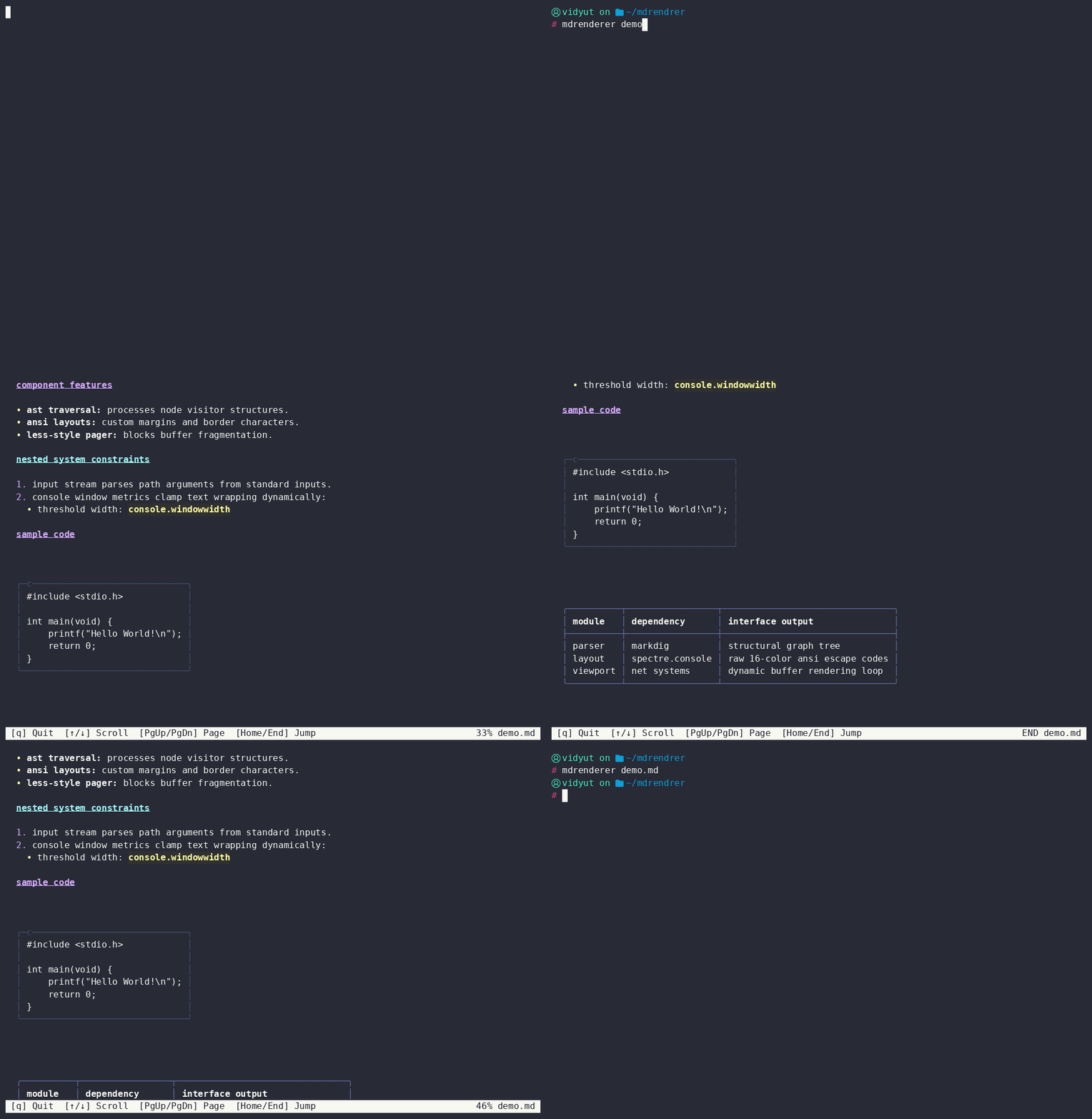
This project is a cross-platform CLI tool written in C# (.NET) that converts raw Markdown into structured layouts directly inside the terminal. It supports a wide range of Markdown features, including headings, lists, code blocks, tables, and more.
The application uses the Markdig library to parse documents into an Abstract Syntax Tree (AST). It then maps those structural nodes to Spectre.Console to emit clean ANSI escape sequences for typography, layout borders, and code syntax blocks.
Architecture & Data Flow
- Ingestion & Parsing: The CLI accepts a file path, reads the raw byte stream from disk, and passes it to the
Markdigengine to compile a structured Abstract Syntax Tree (AST) layout map. - Node Traversal Loop: The application loops through the compiled tree layout. Depending on the node type, it passes the raw content parameters to a dedicated formatting handler.
- ANSI Output Generation: The formatting handler applies
Spectre.Consolestyling properties, converting the structural content into an ANSI escape sequence string that is stored in a buffer. - Terminal Rendering: Once all nodes are processed, the buffered ANSI string is output to the terminal. The user can then scroll through the formatted Markdown using a pager like
less. The buffer ensures that the content is only processed once, and scrolling only redraws the already formatted content, providing a smooth experience.